 English
 Português
 Español
 Türkçe
 Bahasa Indonesia
 Tiếng Việt
 العربية
Bold Text Generator: When and How to Use Bold Unicode Text
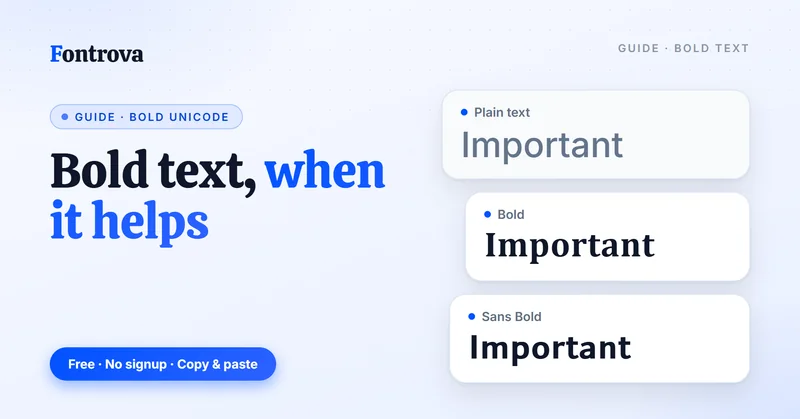
Every social media platform now runs on attention, and bold text is one of the fastest ways to grab it without touching a single line of CSS. A bold text generator turns flat letters into Unicode characters that carry visual weight anywhere you paste them — no font-weight property, no HTML, no coding required.
What makes this different from a native bold font is the standardized system behind it: Unicode assigns real character codes to bold equivalents of ordinary letters, numbers, and symbols, so the formatted text actually travels. Copy it into Instagram, X (formerly Twitter), Discord chats, or a work email, and it stays bold — because it isn’t formatting, it’s a different glyph entirely.
I’ve used these tools for profile name styling, product descriptions, and quick headings in places that flatly don’t support real bold fonts. It takes seconds: type your text, pick a style, then copy and paste — free, desktop browser or mobile, no download, no account, no friction.
What Is Bold Text & How Does This Tool Work?
A bold text generator transforms ordinary letters into Unicode characters that render as authentic bold text everywhere — social media, profiles, and online forums. This clever font generator relies on genuine glyphs, not CSS font-weight, so bold text stays intact when copied and pasted across X, Facebook, Instagram, and WhatsApp, where native HTML styling simply doesn’t exist.
Behind the scenes, special characters from the Unicode symbol set substitute for regular letters, giving you real bold characters instead of fake visual tricks. Just type your text into the Input field, and this bold font generator instantly maps every letter onto its Unicode bold equivalent — no editor, no code, no design software required at all.
Once your formatted text appears in the list, tap the Copy button, then paste it straight into captions, bios, or profile name fields. Works flawlessly across iOS, Android, and desktop browser — ideal for branding, advertising and marketing, and eye-catching, memorable posts.
Where Can You Use Bold Text?
Bold text works across social media posts, websites, blog posts, and instant messages. Whether refreshing bios, statuses, or profiles, Unicode-based formatting travels seamlessly across modern browsers, making your important words genuinely noticeable without requiring platform-specific tools.
On Instagram and Facebook, copy and paste remains the dominant method since neither supports native text formatting. A bold text generator lets you convert typed sentences into styled output, perfect for posts, comments, and eye-catching username displays.
Beyond social media, bold styling elevates print materials, presentations, and design layouts. X, Tumblr, and professional content platforms all render Unicode characters cleanly, letting bold fonts amplify key points inside headings, captions, and structured document sections.
How to Use the Bold Text Generator (Steps)
Open the text field and start typing your message; the tool watches every character in real time. Behind the scenes it maps standard letters onto their bold equivalents using Unicode, no plugin or install required. Works instantly across browsers.
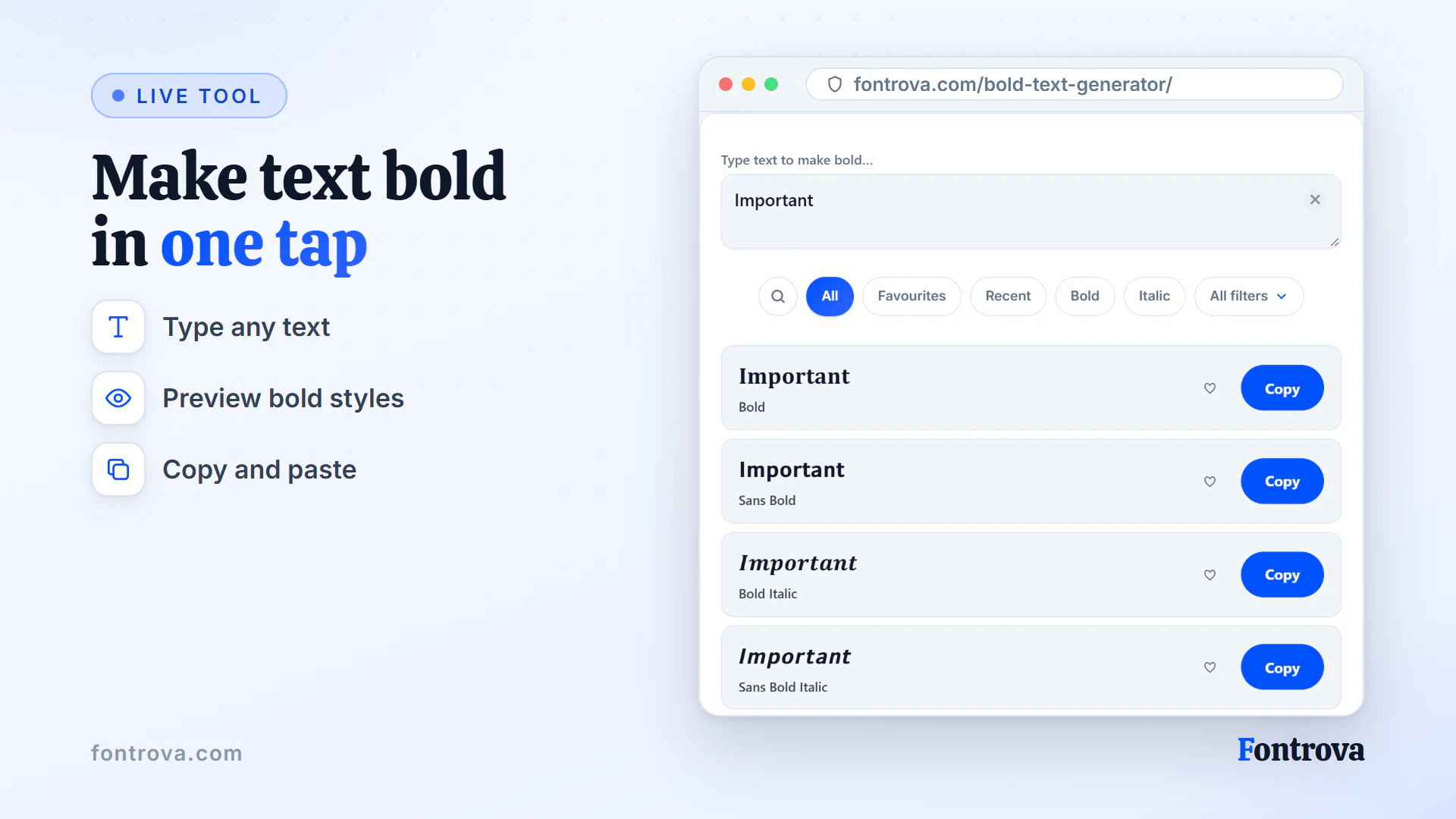
Pick from 400+ styles once your word appears — cursive, serif, or a bold statement style suited to blog headlines or landing page titles. Preview each option before deciding which font styles actually stand out for your purpose.
Once satisfied, hit copy and paste to grab the converted text, then paste anywhere: Facebook post, website, or app. Since it relies on Unicode, formatting transfers across devices, macOS, Windows, and mobile without breaking.
Why Choose This Bold Text Generator
This bold text generator relies on a standardized system of Unicode characters rather than ordinary font-weight property tricks, meaning your bold fonts stay universal — copy and paste into Instagram, Facebook, or X and the bold effect survives the move on any app that supports those characters.
Beyond a single bold font, you’ll find style variations spanning Bold Cursive, Bold Italics, Small Caps, and Bubble Text — each generated in seconds through a simple Input field, letting professionals and casual individuals alike personalize captions without touching CSS or HTML.
Unlike apps that only natively support basic bold text, this tool is free, mobile-friendly, works across desktop browsers and iOS, and gives content creators a genuine advertising and marketing edge — noticeable, attention-grabbing text that actually stands out.
When Do I Use Bold Text, and When Not?
Purposeful emphasis separates stalwart writing from noise — headlines, taglines, and key points deserve bold treatment. Reserve it for draw-attention moments: a stand-out phrase, important information buried in long-form blog post content, or profile name branding across social media.
Overuse kills readability fast. Indiscriminate use across sentences creates visual fatigue, making paragraphs harder to read instead of eye-catching. Skilled professionals apply it sparingly and strategically, letting surrounding text breathe so the bold words actually stand out when it matters.
How Bold Reshapes Visual Hierarchy
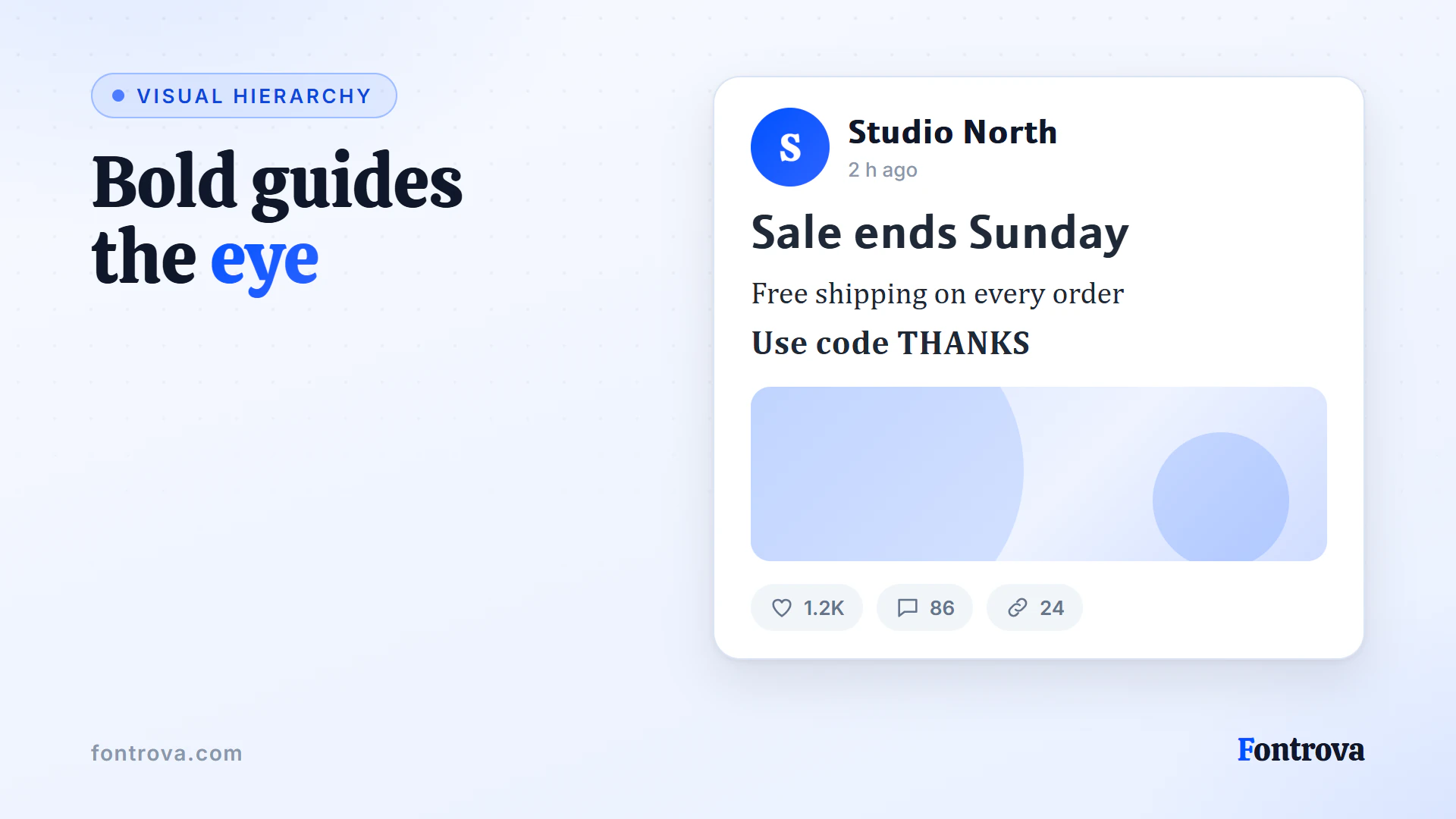
There’s something practitioners rarely admit: the bold font style doesn’t merely thicken characters, it restructures visual hierarchy itself. Working across applications daily, I’ve noticed corporate use cases demand different weight than informal designs — the alphabet carries importance beyond simple emphasis.
Consider subscript rendering versus standard glyph display — most individuals assume bold means uniform thickness, yet serif and sans serif treatments diverge wildly. Professionals building layout systems know letters aren’t interchangeable across fonts; each carries distinct standardized system logic.
How to Choose the Right Bold Text Font
Picking a bold font style depends on where text lands — social media bios crave Cursive or Bold Cursive, while websites favor Sans Bold for clean readability. Test style variations before committing, letting preview size guide the final emphasis choice confidently.
For headings and key points, Bold or Small Caps boosts visual hierarchy without hurting comprehension. Casual platforms suit Sans Bold Italic or Bold Cursive, whereas formal content benefits from Sans Bold and Bold, keeping design aesthetics consistent across every document.
Bold Font Style Variations Offered
Not every bold font style choice suits the same purpose — Bold Cursive brings a handwritten softness, Bold Italic slants text for emphasis, while Cursive alone stays flowing without added weight. Small Caps compress uppercase letters into a tidy, professional shape, and Upside Down Text flips characters for playful, unexpected social media posts.
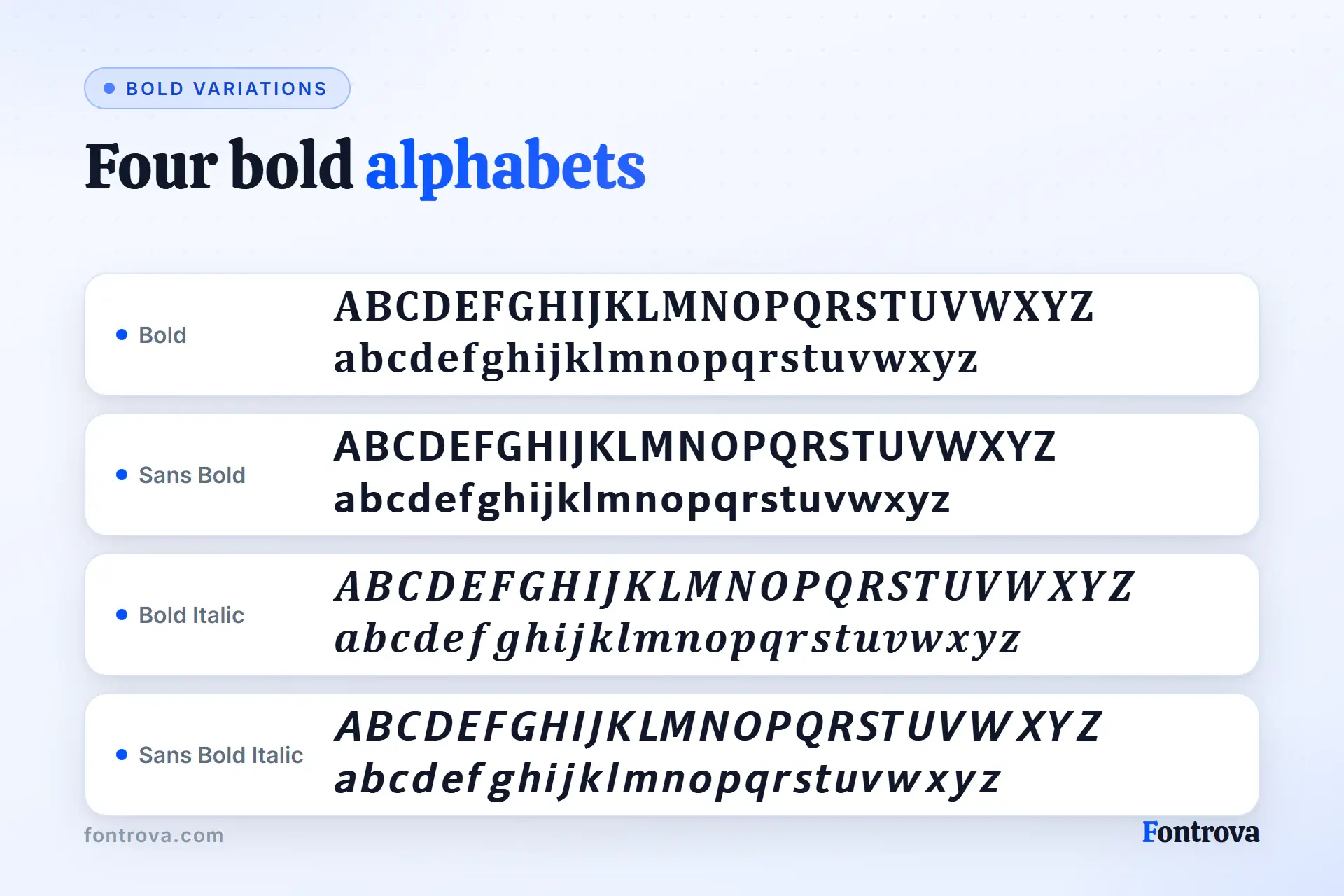
Bubble Text rounds glyph shapes into a friendly, casual tone, useful where serif or sans serif feels too formal. Backwards Text mirrors written language for novelty bios or captions. Tiny text shrinks Unicode characters for subtle emphasis, ideal when attention-grabbing text would otherwise overwhelm a caption or profile name.
Each font style option pulls from a standardized system of Unicode symbol set mappings, letting individuals and professionals switch between ALL CAPS, circled letters, or cursive text instantly. The font generator produces these fonts for copy and paste use across websites, presentations, and news websites alike.
Frequently Asked Questions
How Do I Make My Font Bold?
Simply type your text into the Input field, and the bold text generator instantly transforms it into Unicode bold characters. Click the copy button to send it to your clipboard, then paste it directly into Facebook, Instagram, or any profile field — no editor needed.
Why Are Bold Fonts Important?
Bold fonts establish visual hierarchy by signaling important information to readers instantly. Without contrast, eyes wander aimlessly across text. Used judiciously, bold guides attention toward key points, preventing visual fatigue while reinforcing readability throughout any content.
Are Bold Fonts Easier to Read?
Bold fonts improve scannability by making important information stand out, helping readers scan content faster. However, excessive use disrupts visual hierarchy, making text harder to read. Used sparingly, bold genuinely aids comprehension.
What Does the Bold Font Style Make the Text?
The bold font style transforms plain text into a heavier, thicker weight that instantly boosts visual hierarchy on any page. Readers naturally notice bold text first — perfect for emphasizing important information, highlighting key points, or making headings truly stand out.
When Should You Use Bold Words?
Bold words work best when used strategically — emphasize only key points, important information, or headings that demand attention. Overuse makes content difficult to read and overwhelming. Reserve bold text for specific details that need to stand out with clear purpose.
How to Make Facebook Bold Text?
Facebook doesn’t natively support bold text through universal text formatting. Instead, use a Font Generator to create Unicode-based bold styles, then copy and paste them directly into posts, comments, or profiles for noticeable display text online.
Can I Use Bold Text on All Devices?
Bold text made through Unicode displays across modern browsers, on mobile and desktop browsers alike. Since it relies on special characters instead of installed fonts, this copy and paste trick renders smoothly everywhere, no app download or setup ever needed.
Does Bold Text Look the Same on Every Platform?
Not always. Unicode characters depend on written language support built into each platform. Social media apps like Instagram and X render bold fonts perfectly, though some browsers or older applications may show broken symbols instead of clean bold text.
Can I Use Bold Text in Professional Emails?
Yes, copy and paste bold text directly into work email or instant messages. Since it’s built from Unicode, it skips HTML or CSS entirely. Just avoid overusing it, keep tone professional, and reserve bold text for key points or emphasis only — and because screen readers may skip these characters or read them one at a time, never let bold carry information the plain text does not.
Is the Bold Text Generator Completely Free to Use?
Absolutely, this tool is free of charge with no hidden cost. Generate, convert, and copy endless bold text font variations, including Bold Italic, Cursive, and Small Caps, straight from any desktop browser or mobile device, instantly and without download.
Why Does Bold Text Sometimes Fail to Paste Correctly?
Certain apps strip unfamiliar Unicode symbol set data during pasting. Discord chats, some legal documents, or outdated editor tools may not recognize these obscure characters, causing your bold text to appear as blank boxes or missing glyph shapes instead.
Try the Bold Text Generator
Free, no account, and it runs in your browser. Type once and copy the style you want.
Open Bold Text Generator