 English
 Português
 Español
 Türkçe
 Bahasa Indonesia
 Tiếng Việt
 العربية
What Are Number Fonts? Styles, Uses & How-To Guide
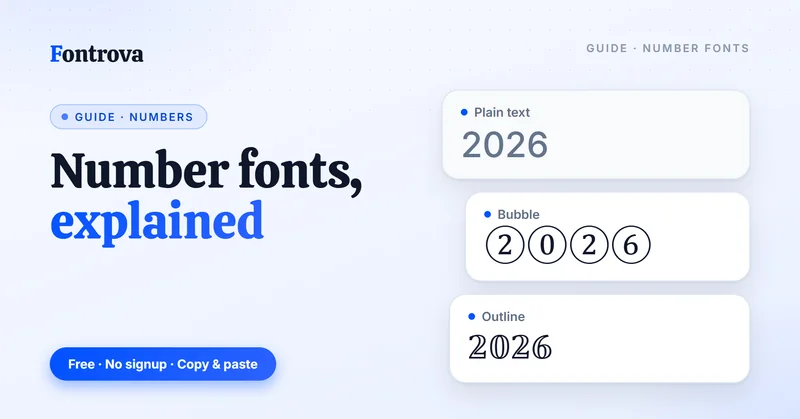
What Are Number Fonts and Why Are They Popular?
Number fonts have quietly become one of the easiest to use additions to modern social media habits. As a tool builder, I’ve watched normal numbers turn into stylish statements the moment someone realizes copy and paste takes seconds, not effort or skill.
What surprises most English speakers first using a number font generator is scale — 400+ distinct looks isn’t marketing fluff. Scroll through categories, and you’ll find Bubble digits sitting beside Outline and Typewriter sets, each solving a different branding problem entirely.
Here’s something rarely said: fancy fonts aren’t just decoration. On Instagram, Facebook, or X (formerly Twitter), a Bold Font number in statistics or lists genuinely changes how fast eyes stop scrolling and actually read your document or caption.
Practically speaking, the workflow is simple — enter numbers, choose a style, tap the heart icon to save a favorite, then hit Copy. No account, no platform lock-in, just a free tool anyone can handle.
I’d argue the real value isn’t novelty at all. It’s branding consistency across email subjects, IG story captions, and LinkedIn posts — small stylish symbols doing quiet, repeated work for your online chats and campaigns.
How to Use the Number Font Generator
Every session starts the same way—open the tool, pick a font, watch letters shift into fancy fonts. My routine leans on input boxes first, testing regular numbers before touching normal texts, since sequence changes output completely.
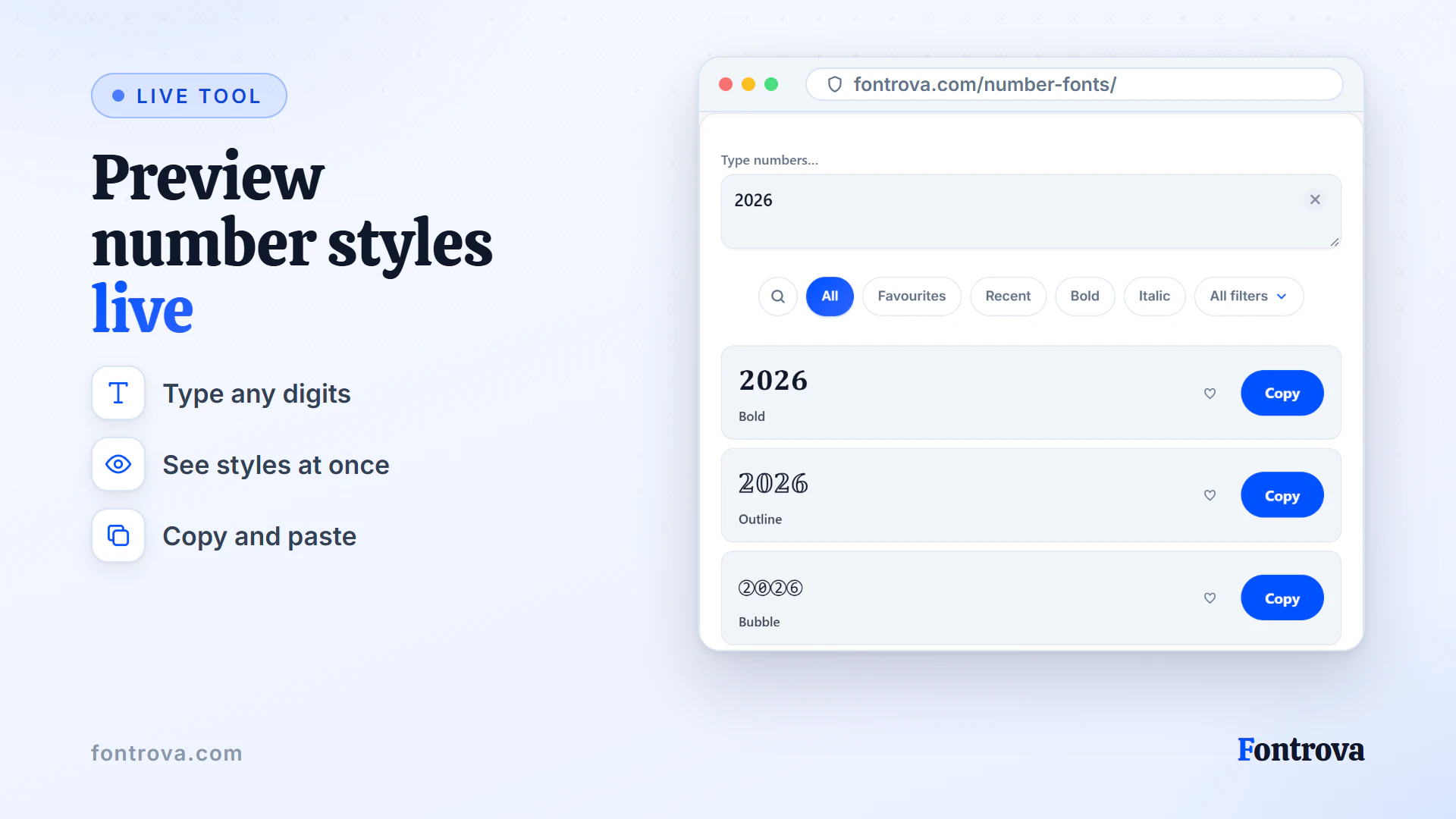
Type a number, apply a style, then copy and paste into a document or social media caption. The live preview updates as you type, so it’s easy to see which style suits your branding before you commit to it.
The category chips hide more options than they first suggest — switching between font styles, symbols, and spacing makes it easy to compare which number style fits the context before you commit to one.
Old habits die hard; click once, preview fancy text styles, repeat anywhere. The best thing about Number Font Generator workflows is speed—free tool access means testing stylish variations costs nothing but a few seconds of choice.
What Is the Number Font Generator?
A number font generator turns plain digits into something worth a second look — I’ve watched creators struggle for the perfect stylish symbols until they discover this free tool. It’s easy to use, needs no signup, and works straight from any browser on any platform.
What surprised me most building fancy text styles for clients: people assume complexity, but the best thing is one click delivers results. Type your digits, and Unicode characters replace ordinary numbers instantly. No font installation, no design software — just fancy numbers font output ready to copy and paste.
This isn’t a makeover limited to letters. While most tools chase fancy texts for words, this number font generator gives numbers-first users equal attention — revamp your written content wherever digits carry impact, from statistics to countdown timers to lists.
I’d call it an Online Font Changer built specifically for normal numbers, not an afterthought bolted onto a letters tool. With 400+ options and a style for every mood, it’s genuinely a font fun discovery — generate fancy fonts without touching a single line of code.
Number Font Styles You Can Browse
Kickstart your number font generator journey by browsing the 400+ number styles, where Bubble, Square, and Bracketed sets sit beside Outline and Typewriter digits waiting for copy and paste.
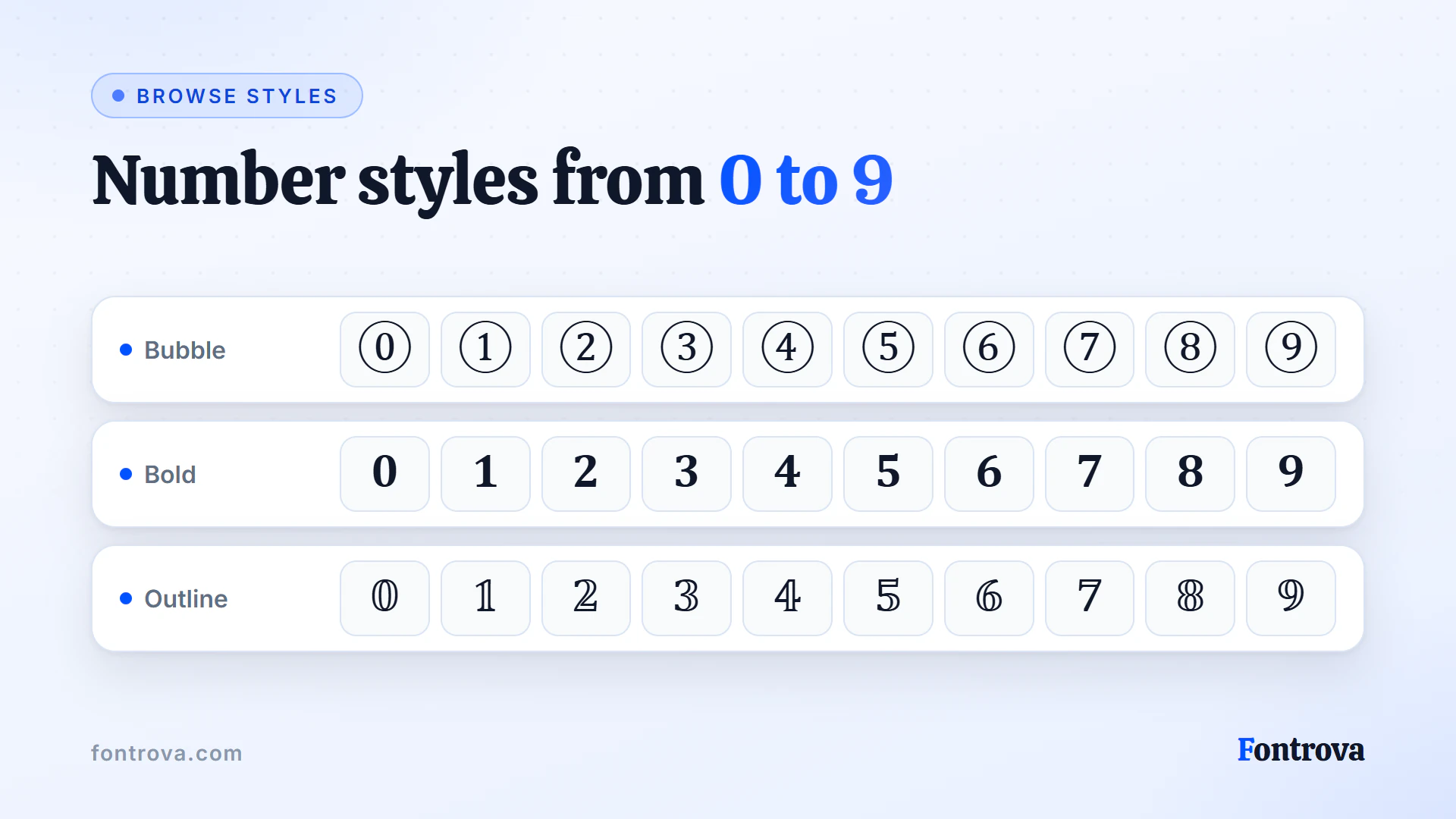
Practitioners who work daily with fancy numbers know a secret: Glitch and Square Filled feel loud, while Tiny and Dotted Above whisper elegance. Match the font style to the platform, not the trend chasing everyone else follows.
I’ve tested Filled Stars, Sparkles, and Royal Crown across social media captions for years — decorated numbers tend to draw more attention than plain digits. Save picks to your favorites list for a quick easy return visit later.
Underline and Arrow Number Styles
Line styles speak to how a font’s silhouette carries movement across a page — an Underline feels grounded while a Wavy overlay breaks that stillness. I’ve tested Wavy cuts alongside Arrow Separated treatments for bio headers, and the Bold Arrow Chain style pulled more taps than static options ever did.
Line-driven fonts reward restraint: pair a Bold Underline anchor with one accent like Bold Star Chain or Double Angle, never both. A Dotted Below finish softens harsh edges, while Glitch works only for captions meant to jar the reader mid-scroll deliberately.
Wrapped Fonts
Every time someone asks how framed numbers actually differ from wrapped styles, I point to structure first. Circled Numbers feel closed and complete, while Parenthesized sets keep breathing room, letting decorative styles sit lighter within a paragraph or caption.
Practitioners rarely mention this, but Bubble Filled numbers work better in social media captions than plain digits ever could. Pairing them with Outline variants gives designers a layered toolkit — one shape for emphasis, another purely for branding consistency.
Historically, wrapped numeral treatments grew alongside Bold and Sans Bold trends, not separately. What started as simple Typewriter counters evolved into emoji-style digits and boxed digits — proof that enclosure styles were never just decoration but functional signals.
Overline, Strikethrough and Slashed Styles
Most people default to plain underline treatments without realizing how much range sits above and around the baseline. A strikethrough cancels intent visually, while double underline stacks emphasis without shouting — both read differently depending on platform rendering.
Layering matters more than novelty here. Double overline and top-bottom lines frame a word from both directions, whereas tilde overlay and double macron sit purely above, giving a wavy or flat accent. Slashed text and underlined text finish the set, each suited to distinct emphasis contexts.
Symbolic Fonts
Symbolic fonts turn plain digits into eye-catching visuals — think Filled Stars, Royal Crown, or Star Chain styles that add flair to captions, bios, and posts. They’re perfect when you want numbers to stand out with a decorative, symbol-driven look.
Whether it’s a Flower Brackets design for a soft aesthetic or a Glitch effect for something bolder, these styles let you copy and paste instantly. No design skills needed — just pick a style and paste it anywhere.
Square and Wide Number Fonts
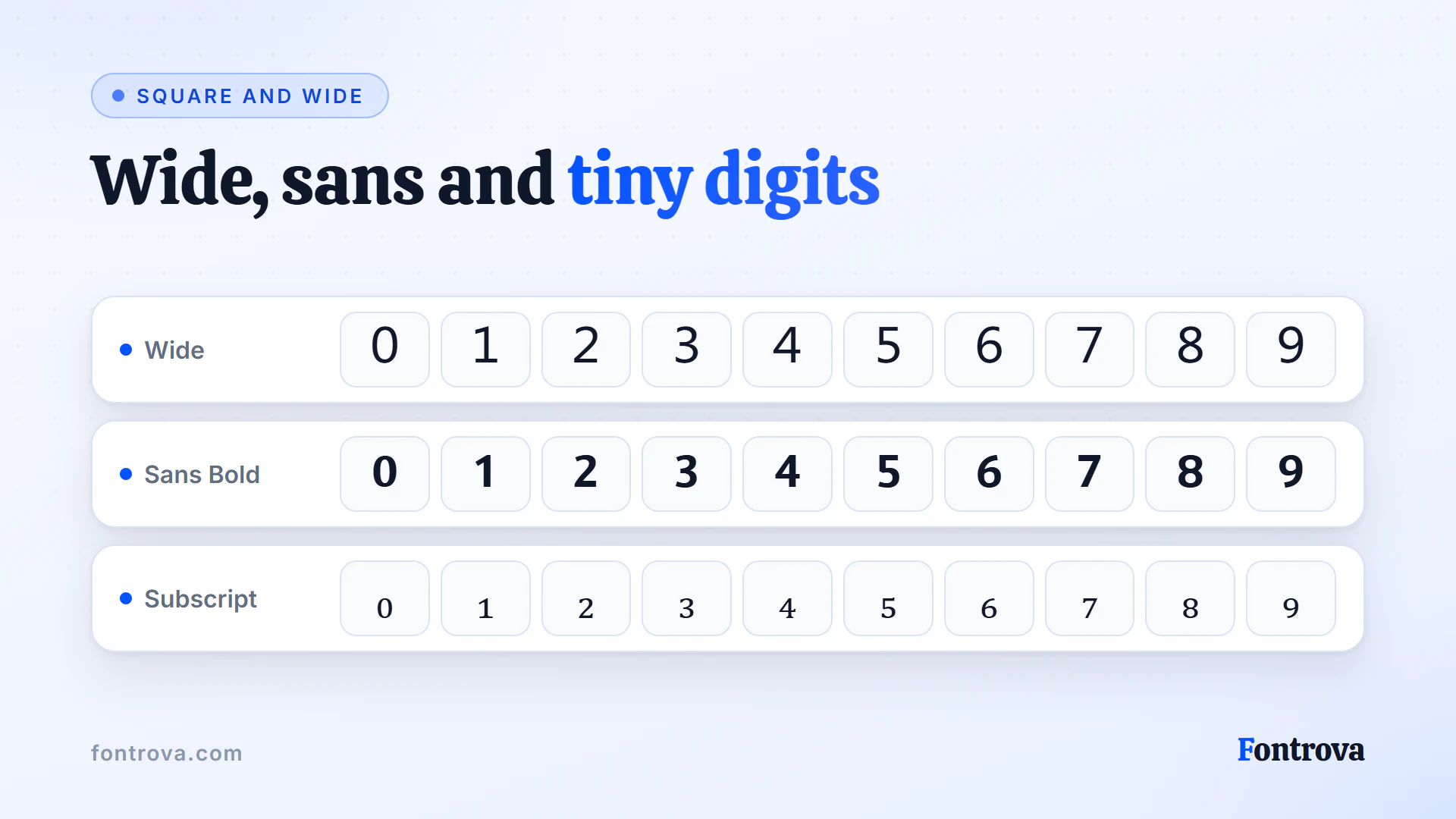
Practitioners rarely admit this: Framed digits tend to outperform decorative ones for branding. I test Wide proportions against Outlined weights, checking statistics on retention. Bold choices often beat Sans Bold for social media headers — copy and paste simplicity wins lists.
Framed Numbers
Boxed styles bring a Square discipline to digits — I’ve noticed users searching for number emojis actually want that Square Filled stability instead. A Round Frame feels ceremonial; pair it with Wide spacing and your Bubble digits gain unexpected visual weight instantly.
Decorated Numbers
Numeric digits take on a whole new personality once Bloom, Shine, and Filled Stars enter the picture — I’ve noticed users gravitate toward combinations that feel ornamental rather than plain. Flower Brackets around a date, or Heavy Brackets flanking a countdown, turn routine digits into something worth screenshotting. Even subtle Sparkles effects lift a simple number into eye-catching territory instantly.
Elegant Decorated Text
Royal Crown finds its home where Night Stars meet Crowned Star rings, giving numbers a regal edge. Cursive curls gracefully while Dotted Above accents add rhythm — practitioners often layer Ring Above marks with Ornate Brackets styling for balanced, refined elegant decoration work.
Aesthetic Fonts
Aesthetic number fonts let you copy and paste stylish symbols that transform normal numbers into fancy numbers with a one click switch. Style your digits using free tool options like bold, bubble, or monospace fonts across any platform.
Cute Styles
Not every number font needs to scream bold authority — sometimes your digits deserve a playful, gentle identity. Fancy numbers in cute styles feel like personal branding for your social media presence, delivering quiet impact in one click.
Mixing Number Font Styles
Mixing number styles by hand blends several looks into one, letting you copy and paste results that feel intentional, not accidental. Practitioners who work with fancy numbers know that mixing bold with monospace fonts creates unexpected contrast with real visual impact.
Favorites List
Saving styles you love shouldn’t feel like a numbers game. The heart icon lets you save any fancy style instantly, building a personal favorites collection from 400+ options across bold, aesthetic, and cool number fonts you revisit often.
400+ Number Styles
Most people never realize that a number font generator holds more creative depth than any standard font library. With 400+ distinct paths through styles, the gap between forgettable normal numbers and truly expressive stylish output collapses at first click.
Where to Use Number Text and the Number Font Generator?
Numbers appear everywhere — but how you style them changes everything. From social media captions to branding projects, the Number Font Generator lets you copy and paste visually striking number styles directly into your written content without design software.
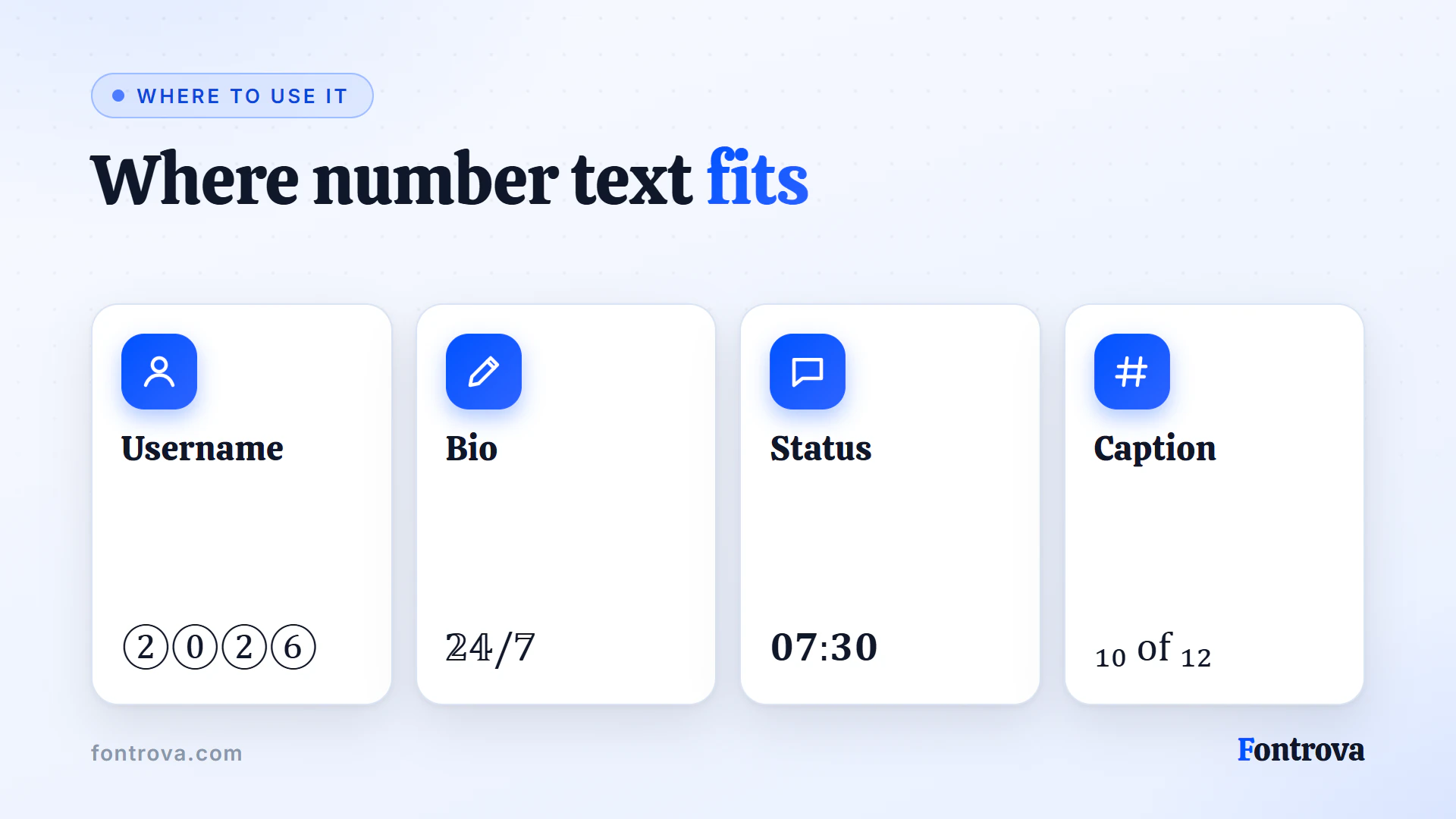
Forums, Instagram, X, and Facebook reward posts that stand out visually. Dropping fancy numbers into statistics, lists, or profile bios makes your digits instantly memorable, giving your audience a reason to pause and engage with your content.
Professional use goes deeper than aesthetics. A company newsletter or business account post using stylish number fonts for dates, pricing, or rankings projects a polished look — one that signals intentional branding rather than default formatting everyone else ignores.
Even casual creators benefit. Aesthetic styles in superscript, bold, or bubble formats work brilliantly in informal designs, forums, and personal pages where playful expression matters more than convention — making your numbers feel alive rather than plain.
How to Choose the Right Number Text from the Number Font Generator?
Choosing feels overwhelming when 400+ number styles compete for attention. Experienced designers know that branding needs drive smart font decisions — not impulse. Start by identifying where your numbers will appear before selecting any style.
Your social media presence demands bold fancy numbers that stop mid-scroll. Instagram, Facebook, X, and LinkedIn each reward different aesthetic styles. A stylish double-struck font performs differently than monospace fonts — platform context shapes every font style choice completely.
Consider written content purpose seriously. Statistics inside a newsletter need clean sans-serif bold, while countdowns inside IG story formats benefit from bubble or circle decorative treatments. Match your number font personality to your actual copy and paste destination first.
Bold digits carry authority; Sans Bold digits signal modernity. Test both using the number font generator before finalizing. Click, preview, then copy — this simple three-step habit saves considerable redesign time across documents, lists, and email subjects simultaneously.
Frequently Asked Questions
Do fancy numbers actually work on every platform, or is that just marketing?
Honestly, from testing across X, Instagram, and Facebook, most Unicode characters render fine, but browser quirks exist. A number font generator relies on existing Unicode blocks, so results stay consistent, though rare display issues do surface occasionally on older devices.
How many number styles should someone realistically browse before picking one?
With 400+ options available, scrolling through everything wastes time. I usually suggest narrowing by categories first — Bubble, Square, or Bold — then testing two or three against your actual branding before committing.
Is copy-pasting fancy numbers safe for professional documents or statistics reports?
Formal statistics and lists often need restraint. Sans Bold or Outline styles read cleanly in reports, while Bubble or Circles feel playful. My rule: match the tone of the document, not the trend, especially for shared spreadsheet or presentation files.
Why do some number fonts break when pasted into social media captions?
Certain apps filter unsupported glyphs, so Tiny or Mirrored styles occasionally vanish mid-caption. I always test a short IG story draft first. If characters disappear, switching to Outline or Typewriter styles usually solves the compatibility problem instantly.
Try the Number Fonts
Free, no account, and it runs in your browser. Type once and copy the style you want.
Open Number Fonts